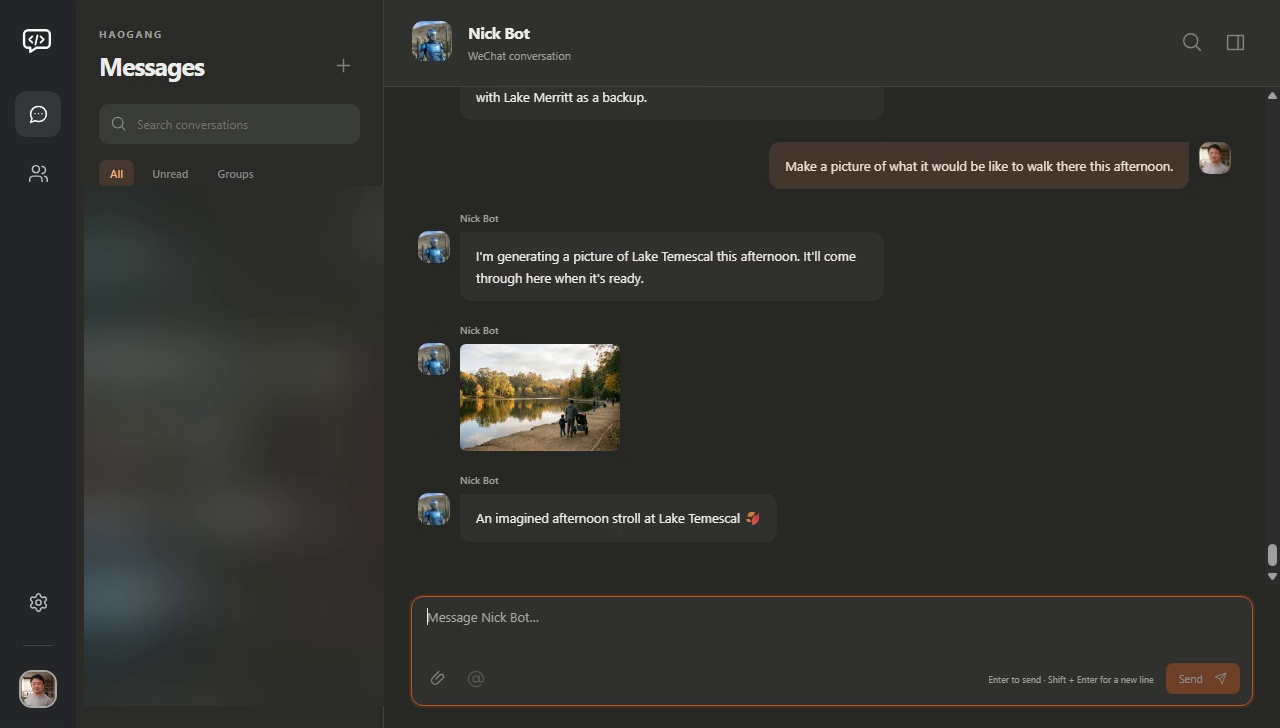
One conversation with Nick Bot, an OpenClaw agent on WeChat: a question typed on the phone, a voice-note reply, an image request from the desktop client, and the image saved from the terminal.
What it is
Agent WeChat is an open source WeChat client. Its Rust daemon signs in to your account and speaks WeChat’s protocol itself, so the official app doesn’t need to be running anywhere. Everything else is a client of that daemon, and they all share one authenticated API:
- Desktop app. A WeChat chat interface for macOS, Windows, and Linux, with conversation search, image and video views, quotes, mentions, and notifications. It bundles the daemon and the CLI, or connects to a daemon on another machine.
wxCLI and HTTP API. Read and search history, send messages and media, manage groups, and follow a replayable event stream from scripts or the terminal.- OpenClaw plugin. Makes WeChat a channel for an AI agent. The agent answers the DMs and groups you allow and replies with text, images, video, files, or native voice notes. It can also take voice calls.
Your own scripts and integrations get the same API the desktop app uses.
Voice calls
A regular WeChat voice call from a phone to Nick Bot. The agent picks up and talks back.
Agent WeChat can make and answer direct WeChat voice calls, either from the wx calls CLI or through the OpenClaw plugin. In OpenClaw, the call runs on a realtime speech model that can consult the full agent mid-call, and the agent remembers earlier calls with the same contact. Calling from the desktop app is coming soon.
What works today
- DMs and groups, with local history search, unread counts, and read state
- Text, images, video (normal or original quality), files, and voice notes, sent and received
- Recalls, real @mentions (including @everyone where allowed), and incoming quotes, link cards, and forwarded chats
- Group management: create, rename, add or remove members, and leave
- Direct voice calls from the CLI and OpenClaw
- An existing WeChat for Linux profile used in place, keeping its stored history, contacts, and media
A few edges are still open. Outgoing quoted replies and link-card sends are waiting on live validation, and stickers can be received but not sent. The repo keeps a feature and validation checklist.
Try it
Download the desktop installer from GitHub Releases, add a profile, and sign in by scanning a QR code with WeChat on your phone. Or run it from a terminal:
npm install -g @agent-wechat/cli
wx serve                        # leave the daemon running

# in a second terminal
wx accounts create --alias me
wx auth login                   # scan the QR code with WeChat on your phone
wx chats list
To connect an agent, install the OpenClaw plugin:
openclaw plugins install @agent-wechat/agent-wechatThen follow the OpenClaw setup guide to pick an account and choose who the agent answers. DMs and groups stay off until you configure them.
How it works
One daemon owns each WeChat profile. It handles sign-in, sync, and media, and stores messages, contacts, and groups in WeChat’s own profile format. Its credentials, pending jobs, and event log are kept separately. The desktop app, the CLI, and OpenClaw are all clients of the daemon’s HTTP API and event stream, and none of them talk to WeChat directly. The architecture guide has the details.
Agent WeChat didn’t start out as a client. The first version, built in early 2026, ran the official WeChat for Linux app in a Docker container, drove it with UI automation, and used Frida to pull database and media keys out of memory. It shipped a CLI, a Wechaty puppet, and an OpenClaw plugin (how it was built, how it worked). In October 2026, after about a week of reverse engineering with AI agents, the native daemon replaced the official app. This post tells that story.
Status
MIT licensed and under active development. Desktop installers and standalone wx binaries for Linux (x64 and ARM64), macOS (Apple silicon), and Windows (x64 and ARM64) are on GitHub Releases. The CLI and the OpenClaw plugin are on npm. Documentation lives at thisnick.github.io/agent-wechat.